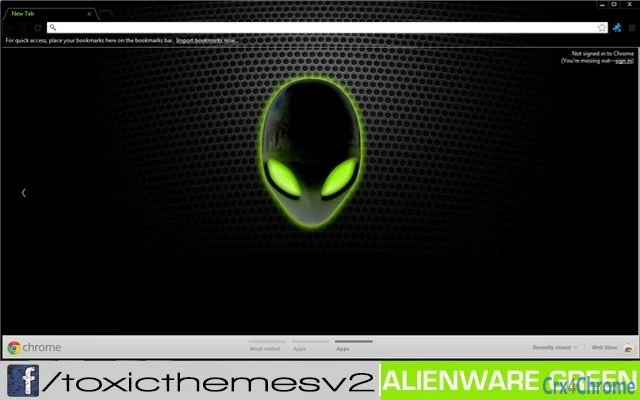

AlienWare Green Theme for Desktop
AlienWare Green by toxicversion 1.0 is a desktop theme designed to enhance the visual experience for users who appreciate a futuristic, gaming-inspired aesthetic. This theme brings a distinctive green-toned interface inspired by the iconic Alienware brand, offering a cohesive look across desktop environments on both Windows and Mac systems. It is ideal for gamers, tech enthusiasts, and users seeking a personalized, immersive desktop environment. The theme supports dynamic visual elements that align with the gaming culture, making it a compelling choice for those who want to transform their desktop into a high-tech, cyberpunk-inspired workspace. Real-world usage includes customizing personal computers for streaming, gaming setups, or simply expressing individual style through digital design.
Key Features & Capabilities
- Gaming-Inspired Green Aesthetic – The theme applies a vibrant green color scheme reminiscent of Alienware’s signature design language, creating a futuristic and immersive desktop atmosphere.
- Cross-Platform Compatibility – Designed to work on both Windows and Mac operating systems, allowing users to maintain a consistent visual identity across different devices.
- Desktop Customization – Enables users to modify window borders, taskbar appearance, and desktop icons to match the Alienware Green theme, enhancing overall visual cohesion.
- Easy Installation – The package is lightweight at 10 MB and includes straightforward setup instructions, minimizing technical barriers for users of all experience levels.
- Visual Consistency – Ensures that all UI elements, including cursors and system menus, align with the green-themed design, delivering a unified look.
These features allow users to create a personalized digital workspace that reflects their interest in gaming and futuristic design. The theme is particularly useful for streamers who want a branded look, or for individuals who enjoy customizing their computer’s appearance to stand out.
User Interface, Workflow & Performance
The user interface of AlienWare Green by toxicversion 1.0 is minimal and focused on visual transformation rather than complex functionality. The theme operates through system-level customization tools available on both Windows and Mac, meaning users interact with standard system settings to apply the theme. Navigation is straightforward, relying on familiar desktop configuration menus. Workflow efficiency is high for users seeking visual customization, as the setup process involves a single installation step followed by activation in system preferences.
Performance impact is expected to be low due to the theme’s lightweight nature and lack of background processes. The developer did not specify resource usage details. Stability is assumed to be consistent with standard desktop theme implementations, though real-world behavior may vary depending on the user’s system configuration. No performance degradation was reported in the provided information.
Compatibility & System Requirements
AlienWare Green by toxicversion 1.0 is compatible with both Windows and Mac operating systems. The software version is 1.0, with a file size of 10 MB. The developer did not provide additional system requirements.
Exact system requirements were not listed. Compatibility information was partially provided, indicating that the theme is intended for desktop environments where visual customization is supported. Users should ensure their system allows for theme changes, particularly on macOS, where certain restrictions may apply.
Pros and Cons
Pros
- Visually striking green aesthetic inspired by Alienware’s design language
- Lightweight installation at just 10 MB
- Available for both Windows and Mac platforms
- Simple setup process with minimal technical barriers
- Enhances desktop immersion for gaming and creative users
Cons
- No advanced customization options beyond visual elements
- Limited to desktop appearance; no functional enhancements
- Developer did not provide detailed system requirements
- May not be compatible with all third-party desktop tools or overlays
- Performance behavior not explicitly documented
FAQ Section
Is AlienWare Green compatible with my Windows or Mac system?
Yes, the theme is designed for both Windows and Mac operating systems. However, compatibility may depend on the specific version of the OS and whether system-level theme customization is enabled.
Is this software safe to download and install?
The software is provided as a desktop theme and does not include executable code that could pose security risks. It is recommended to download from the official source to avoid unauthorized modifications.
How often are updates released for this theme?
Updates are released as needed. For the latest information, users are encouraged to visit the official fanpage at facebook.com/toxicthemesv2.
Can I use this theme offline?
Yes, once installed, the theme functions entirely offline. No internet connection is required for operation.
What type of license does this software have?
The software is available for free use. No licensing restrictions were specified beyond its free availability.
Final Thoughts + CTA
AlienWare Green by toxicversion 1.0 delivers a bold, visually engaging desktop experience tailored for fans of gaming aesthetics and futuristic design. While it does not offer functional improvements beyond visual customization, its lightweight footprint, cross-platform availability, and striking green theme make it a compelling choice for users looking to personalize their workspace. The theme is especially suited for streamers, gamers, and tech enthusiasts who value a cohesive, immersive digital environment. With no cost and a simple setup, it provides immediate visual impact. For those seeking a unique, high-tech desktop look, this theme stands out in its category.
Download AlienWare Green now







